
A week of teaching
The measure of a tool like this isn't what it can do on a quiet afternoon. It's what it costs you on a Tuesday, between two classes, when the last lesson ran long.
The week before school starts
Last June's course is still on the site, every page of it. A new class should meet Day 1 and nothing after it.
Right-click the section and choose Get Ready for the Start of the Year… from its menu. Plantoir lists what it would put into draft — every class after the first, the pages only those later classes use, and pages nothing students can still see links to — each with its reason. The first class and the pages it links to, your Key Links and the pages they list, and every curriculum page stay where they are.
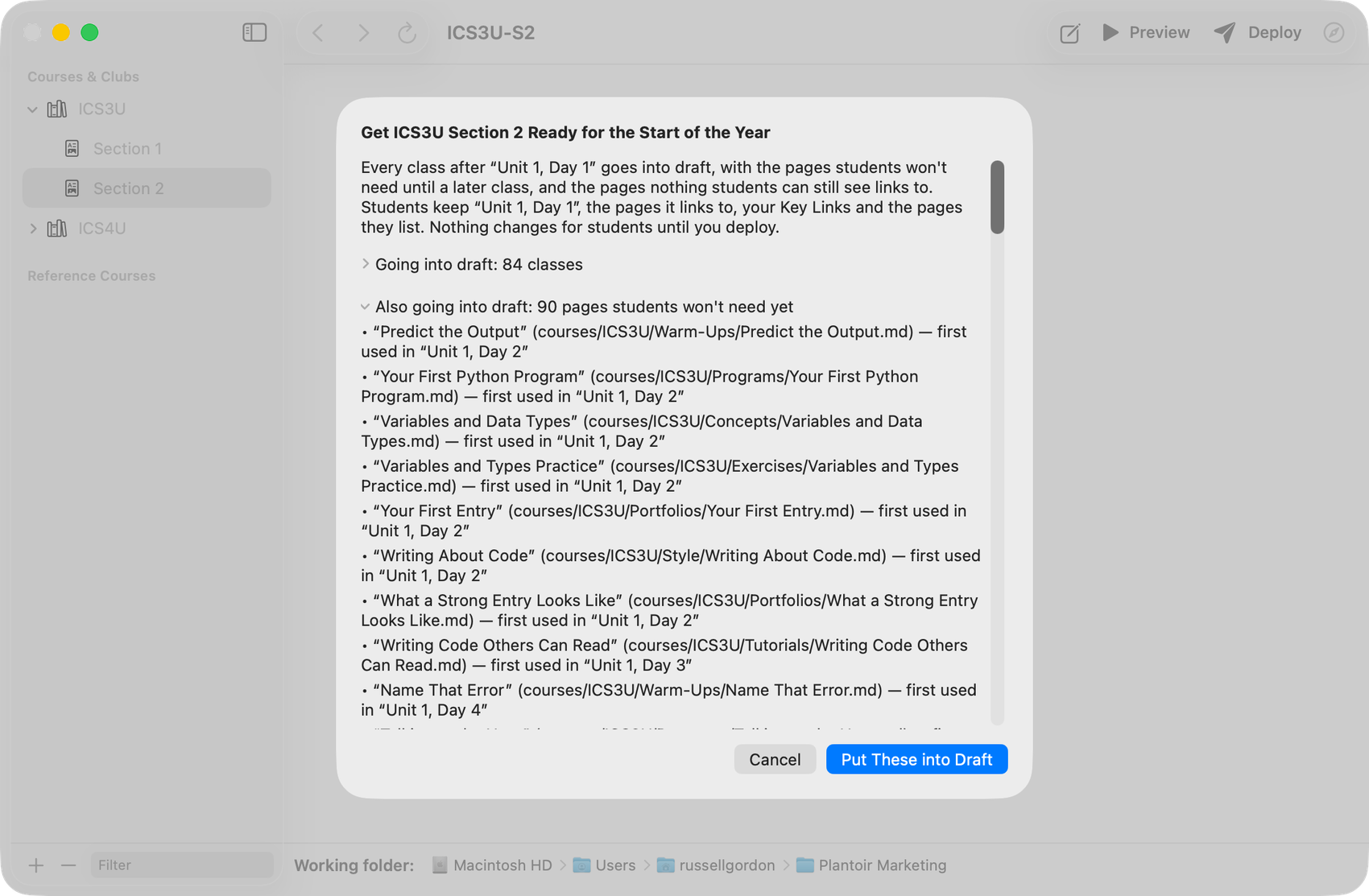
Nothing changes until you agree, and a backup is made first. The section's menu can undo it in one step until you next publish that section or any of its pages, put another of its pages into draft, or quit Plantoir; after that, the backup is the way back. Nothing reaches students until you publish.
On the Mac. The Windows version gets this in a later release.
Sunday evening
You write next week's material the way you write anything else. Notes, in Obsidian, in whatever order they come.
Nothing is uploaded. Nothing is posted. The files simply exist.
When the week looks about right, a preview builds the real site so you can read it the way a student would — with fast site-wide search, "pretty-print" equations, and live links.
Only then does anything go out.
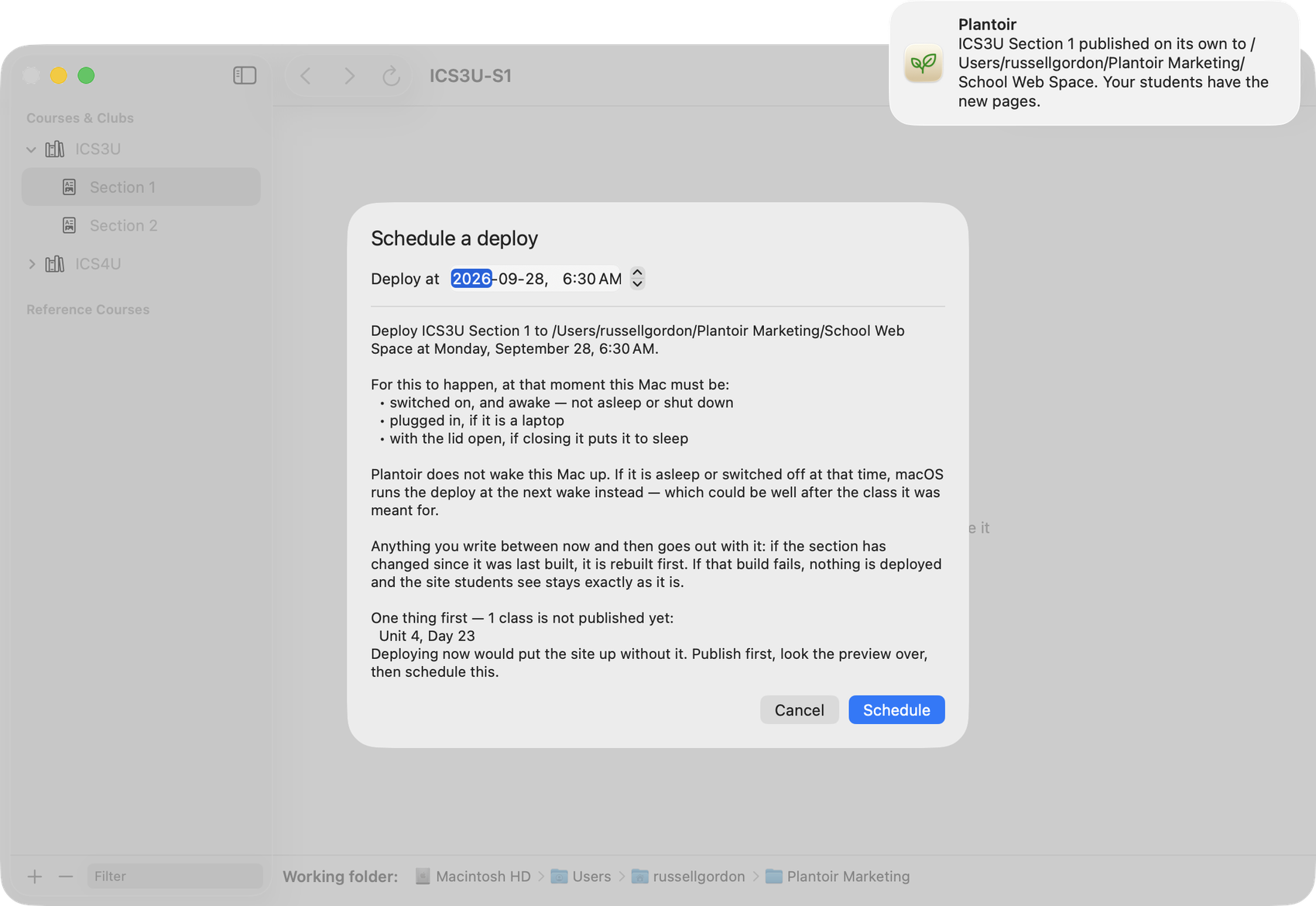
Or leave it to the morning. Schedule the publish for 7:00 on Monday and close the laptop.
When it has run, a notification says how it went — whether it went up or why it didn't. Click it and Plantoir opens on that section.
On the Mac. The Windows version gets this in a later release.
The part that used to be fiddly
A course you write once and teach to three sections has to say, page by page, which classes are far enough along to see it.
That instruction lives in a small block of settings at the top of each note. A line reading publishForSection1: true. Then another for section two. Then another for section three.
It isn't hard. It's just easy to get backwards at 7:40 in the morning — and backwards means a class sees a page you were holding back, or misses one you weren't.
So ask for it in words instead.
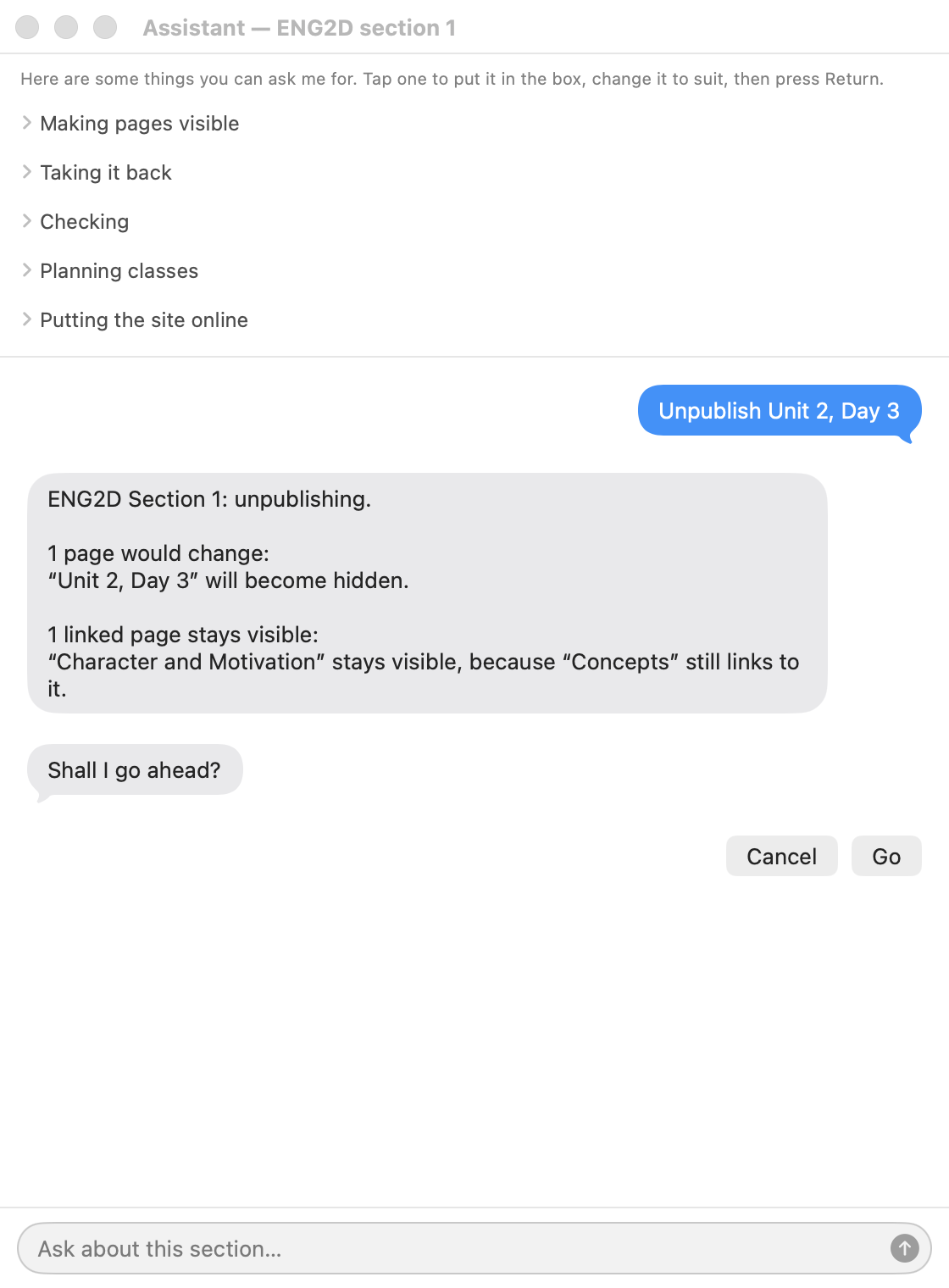
An assistant runs on your computer, reads what you typed, and works out which pages you meant.
Before it writes anything it tells you what it's about to do and waits for you to say go. Publishing to students is treated more carefully still — it asks separately, and it says plainly that students will see the result.
Got it wrong? "Undo that" puts the pages back. It won't quietly overwrite your work either: a page you've edited since is left alone and reported, not reverted.
What you can ask for
- Publish or hold back a class. "Publish Thursday's class for section 2." "Hide Unit 4, Day 12 — we didn't get to it."
- What pages are live right now? Ask Plantoir to take an inventory, without having to manually check the site yourself using a preview.
- Add the next class page. Numbered and dated to match your timetable, ready to write into.
- Move the dates when the term slips. Snow day, assembly, fire drill — the remaining classes shift, and the numbering and dates follow.
- Rebuild the preview after a batch of edits.
- Publish now, or later. "Publish section 1 at seven tomorrow morning" is a complete instruction.
- Find the curriculum. List the expectations for the course, and note on a lesson page which ones it covered.
Between periods
Most days need one small change. Yesterday's class published. Tomorrow's held back. A page rebuilt after a correction.
Each of those is a sentence and a confirmation, and you're told in plain terms what happened.
Longer jobs — building a site, publishing it — describe their progress in words rather than in output, so you can tell at a glance whether to wait or to walk away.
How the assistant actually works
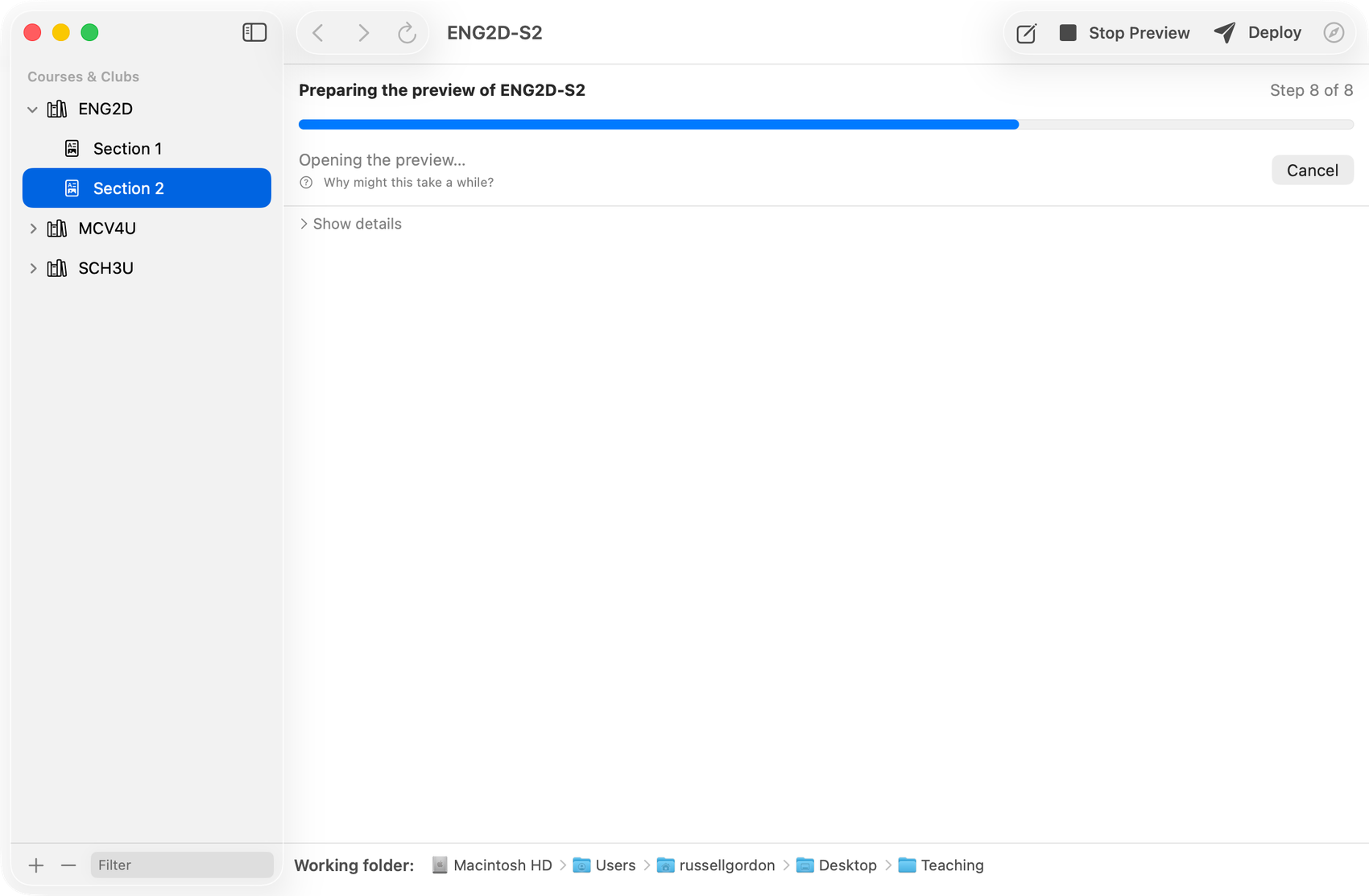
It runs on your computer, not on a service
It's part of the app and works with no internet connection. Your course notes are never sent anywhere to be read. There's no account, no subscription, and no cost per request.
It decides nothing on its own
Its only job is to turn your sentence into the name of an action and the details it needs. Every rule about what may happen, every safety check, and every file that gets written is ordinary program code — and behaves identically whether the request arrived as a sentence or as a menu selection.
It asks before it acts
Anything that changes a file is described first and carried out only when you approve it. Anything your students would see is confirmed separately again.
You don't have to use it
Everything it can do, you can do in the app by hand. Leave it turned off and nothing is downloaded for it at all.
Friday
The week's material is on the site. Your class has one address, the same one they've had since September.
And your notes are still a folder of files on your laptop — searchable, backed up with everything else, and readable in ten years.