
Plantoir
Plan the plot. Plant your notes. Grow a class website you own.
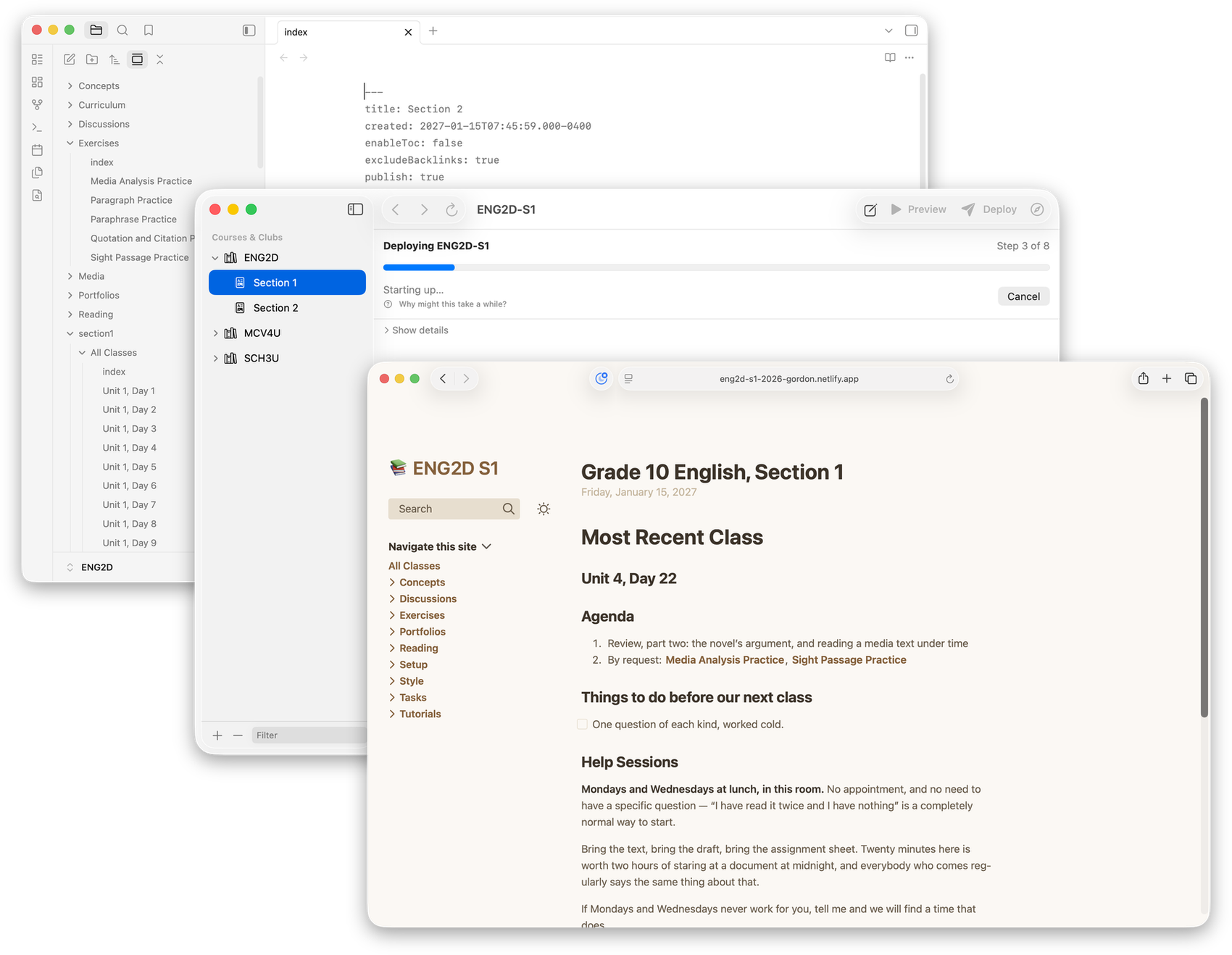
Turns a folder of Markdown notes into a fast, searchable class website.
Download
Version 1.4.0 · Released September 2026 · All releases
What it is
A plantoir is a dibber — the simple hand tool that opens a hole at the right depth so a seedling can be set in and take root. This app does the same for teaching materials.
Write in Obsidian, preview locally, publish when you're ready. No content management system, no fifteen clicks to post a handout, and no platform holding your work hostage when you move schools.
How it works
- Add a course.
- Write your notes as Markdown files, in Obsidian or any text editor.
- Preview the site on your own machine, as often as you like.
- Publish when you're ready. Your students get a real website.
See what it can do, or read how it fits into an ordinary teaching week.
New this year
- Ready-made courses for 38 Ontario courses now, and a starting outline for about 1,900 more.
- Publish on a schedule, and hear how it went.
- Last year's courses beside this year's, to read and borrow from.
- One step to get a section ready for the first day.
- A second curriculum — AP, say — with its own coverage map.
- Work on a course with Claude or Codex, after telling them how you teach.
- Plantoir keeps itself up to date on a Mac.
- Clubs, not only courses.
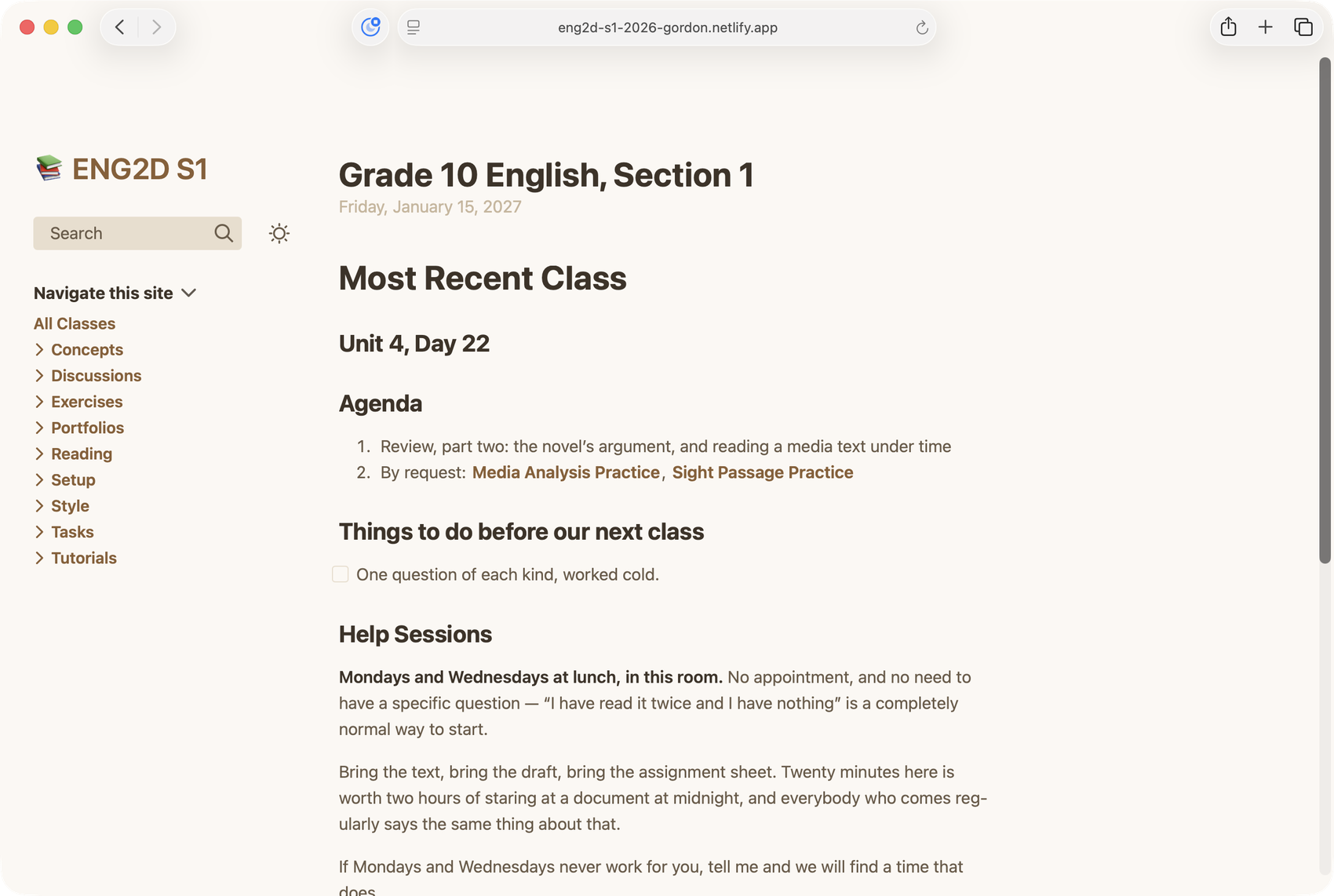
What students see
Quick, searchable, and readable using a laptop or a phone.
Mathematics is typeset properly. Diagrams are drawn from your notes rather than pasted in as pictures. Every page can link to every other.
It helps you plan
Every course has curriculum expectations to cover, and tracking which ones you have addressed takes ongoing planning.
Plantoir answers that from the material itself. Tag a lesson with the expectations it addresses, and each build draws a map of the whole course — every expectation shaded by how many pages reach it.
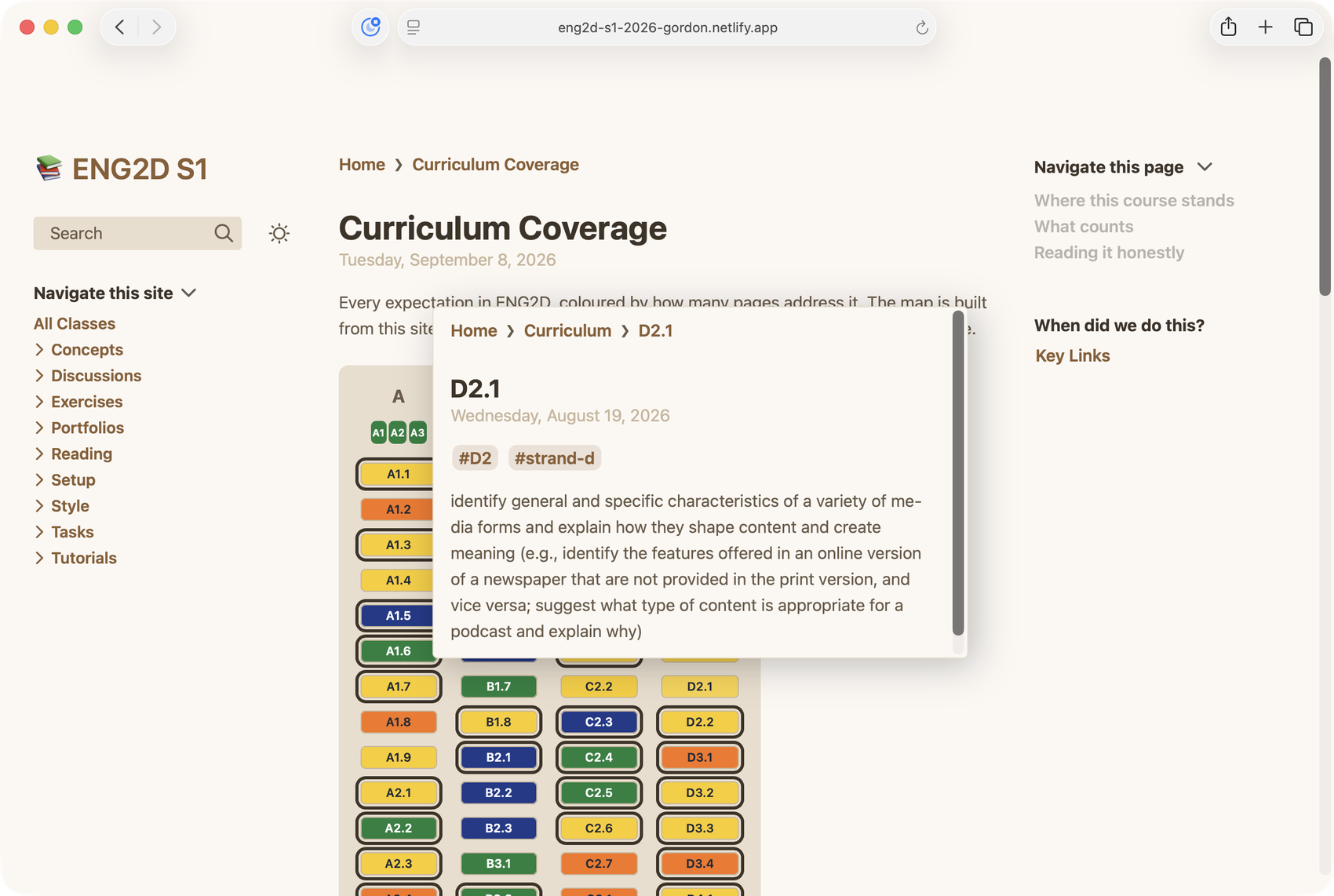
A course that answers to two curricula — the Ontario expectations and an AP framework, say — gets a map for each.
Because it's built from your own pages each time the site is built, it can't drift from the course the way a planning spreadsheet does. Useful throughout the school year, and ready whenever a department head or principal asks.
Questions
Plantoir is a friendly wrapper around Quartz, which Jacky Zhao builds and gives away for free. If you end up using Plantoir regularly, please consider sponsoring him on GitHub — it is his work that makes all of this possible.